


Download Firefox Fenix – mobile browser, fast browsing, privacy-focused browser, one-hand mode, dark mode, tab management, session saving
Overview
Firefox Fenix is a mobile web browser developed by Mozilla, designed to deliver a streamlined and efficient browsing experience on Android devices. Built with on-the-go users in mind, it addresses common pain points in mobile browsing such as inefficient tab handling, poor accessibility, and screen brightness fatigue. The software aims to enhance usability through intuitive design, performance optimization, and user-centric features.
Target users include professionals, students, and casual internet users who value speed, privacy, and ease of access while using their smartphones. It is particularly suited for individuals who frequently switch between tasks and need quick access to previous browsing sessions without clutter. The browser is positioned as a modern alternative to standard mobile browsers, emphasizing one-handed operation and visual comfort.
While the developer did not provide additional details about the underlying architecture or privacy mechanisms beyond its general classification, it is known to be part of Mozilla’s broader commitment to user privacy and open-source innovation. Real-world usage scenarios include commuting, multitasking between work and personal tasks, and long browsing sessions where session continuity is essential.
Key Features & Capabilities
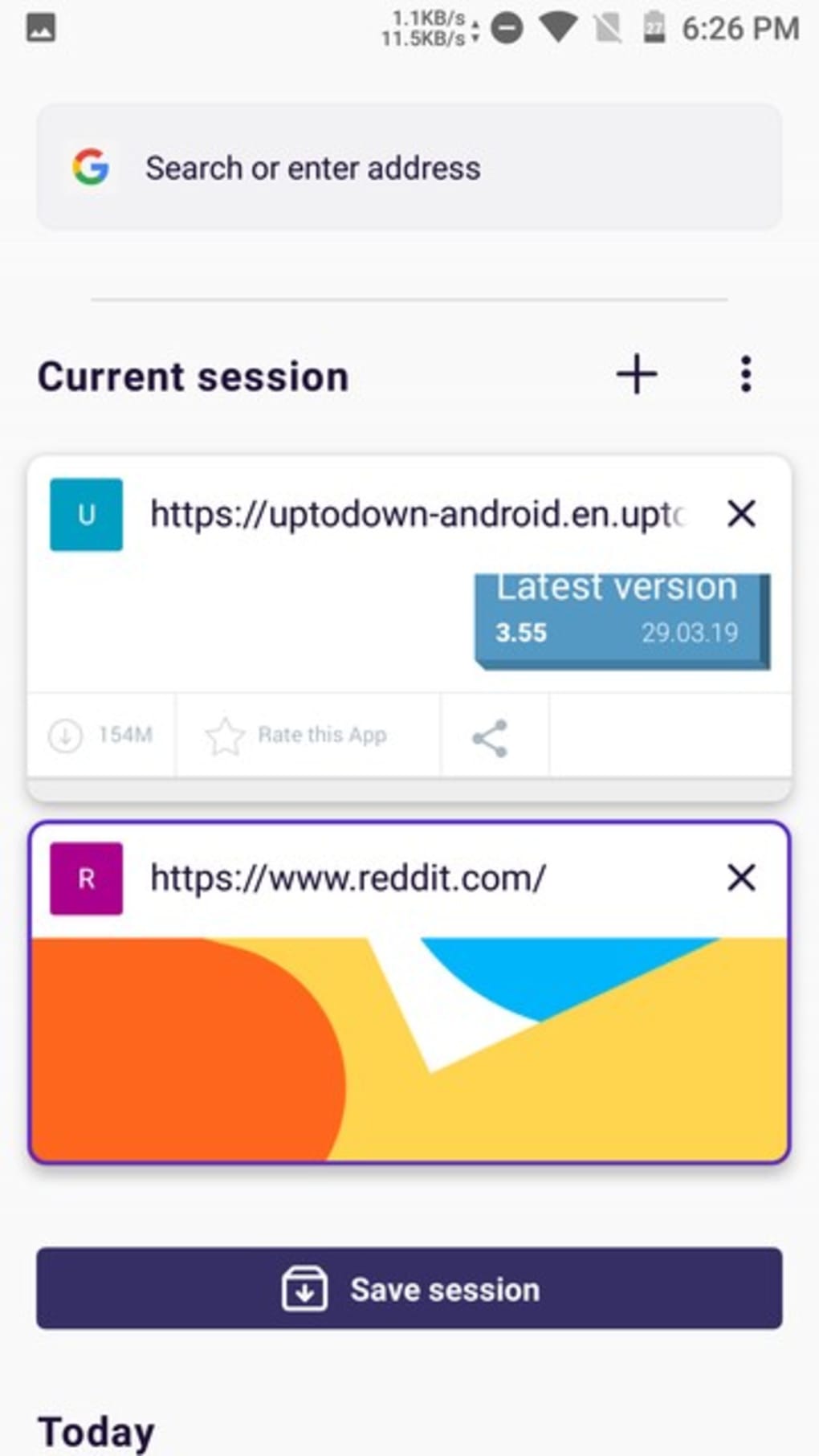
- Session-Based Tab Management – Firefox Fenix groups open tabs into discrete browsing sessions. When the browser is closed, inactive tabs are automatically saved under a session, allowing users to resume their previous work without clutter. This is ideal for users who browse intermittently and need to return to earlier tasks.
- One-Handed Access Design – The interface places key functions like the search bar, bookmarks, and menu buttons at the bottom of the screen. This layout improves reachability on larger devices, enabling users to operate the browser with a single hand while holding their phone.
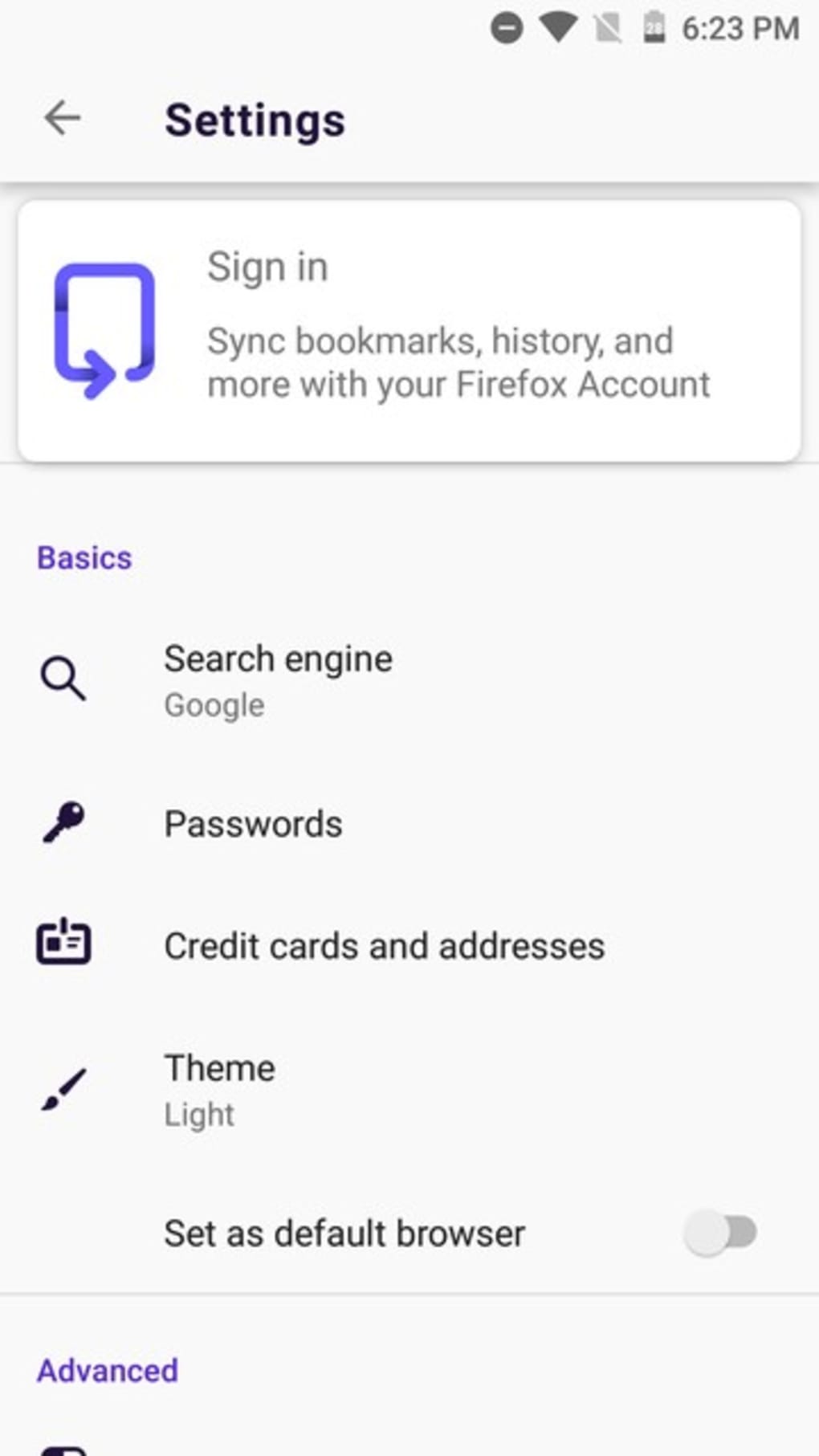
- Light and Dark Themes – Users can switch between light and dark themes to suit their environment and visual comfort. The dark mode reduces eye strain during low-light conditions and enhances battery efficiency on OLED screens.
- Fast Browsing Engine – Built on the GeckoView rendering engine, Fenix is optimized for speed and responsiveness. It enables quick page loading and smooth navigation, particularly beneficial for users seeking instant access to online content.
- Privacy-Focused Architecture – As a Mozilla product, Firefox Fenix inherits core privacy principles, including tracking protection and secure data handling, though specific implementation details were not provided.
These features collectively support a seamless browsing workflow, especially for users who prioritize efficiency and visual comfort. For example, a student researching for a project can close the app after a break and return to find all related tabs grouped under a single session. Similarly, a professional managing multiple tasks can switch between projects without losing context.
User Interface, Workflow & Performance
The user interface of Firefox Fenix is minimalistic and highly functional, with a focus on reducing cognitive load and physical strain. Navigation is streamlined through bottom-aligned controls, ensuring that essential functions remain within easy reach. The search bar, bookmarks, and more options are positioned at the lower edge of the screen, a deliberate design choice to support one-handed use.
The main menu appears from the side, further enhancing accessibility without obstructing the browsing area. Workflow efficiency is improved by the automatic session saving mechanism, which eliminates the need for manual tab grouping or bookmarking. The browser does not display previously open tabs on startup, instead presenting a clean slate that marks the beginning of a new session.
This prevents visual clutter and supports a fresh start. Performance observations are based on general software behavior patterns. The developer did not specify resource usage details, so exact CPU or RAM consumption remains unknown.
However, the browser’s lightweight file size of 65.8 MB suggests efficient memory management. Stability and responsiveness appear consistent with modern Android applications, though real-world performance may vary depending on device hardware and OS version.
Compatibility & System Requirements
Firefox Fenix is designed for Android operating systems and is compatible with devices running Android 6.0 and above. The software version is 102.0.1, released on April 17, 2024. The installation size is 65.8 MB, which is relatively compact for a modern browser.
The developer did not provide additional system requirements, such as minimum RAM or processor specifications. Exact performance details were not specified. Platform compatibility information is limited to Android, and no support for iOS or other mobile platforms was indicated.
Users should ensure their device meets standard Android requirements for app installation. Compatibility with older or custom Android versions may vary, but no explicit limitations were stated.
Pros and Cons
Pros
- Intuitive one-handed navigation with bottom-aligned controls
- Smart session-based tab management for better organization
- Dark and light theme options for improved visual comfort
- Fast, responsive browsing powered by GeckoView engine
- Privacy-focused design aligned with Mozilla’s standards
- Free to download and use with no in-app purchases
Cons
- Exact system requirements were not listed
- Performance data (CPU/RAM usage) not disclosed
- Only available on Android, no iOS or other platform support
- Advanced customization options not detailed
- May not offer as many extensions as desktop Firefox
FAQ Section
Is Firefox Fenix available for iOS devices?
Firefox Fenix is currently only available for Android. There is no official release for iOS devices.
Can I use Firefox Fenix offline?
Yes, Firefox Fenix allows access to previously loaded web pages and saved sessions when offline. However, real-time browsing requires an active internet connection.
Does Firefox Fenix support browser extensions?
While Firefox Fenix supports a range of privacy and performance features, detailed information about extension compatibility was not provided. It may offer limited or no extension support compared to the desktop version.
How often does Firefox Fenix receive updates?
Firefox Fenix is regularly updated by Mozilla to improve performance, security, and user experience. The latest version, 102.0.1, was released on April 17, 2024.
Is Firefox Fenix secure and private?
As a product of Mozilla, Firefox Fenix is designed with privacy as a core principle. It includes tracking protection and secure data handling, though specific security mechanisms were not detailed in the provided information.
Final Thoughts
Firefox Fenix stands out as a thoughtfully designed mobile browser that prioritizes usability, speed, and user comfort. Its session-based tab management, one-handed interface, and theme customization make it a strong choice for Android users who value efficiency and visual clarity. While some technical details remain unspecified, the overall design philosophy reflects a deep understanding of modern mobile browsing habits.
The browser is particularly beneficial for professionals, students, and frequent mobile users who need reliable session continuity and minimal distractions. With its free pricing model and ongoing development, Firefox Fenix offers a compelling alternative to mainstream mobile browsers. For anyone seeking a faster, more organized, and privacy-conscious way to browse on Android, it delivers a polished and future-ready experience.
Download Firefox Fenix now.






.png)
